Updated:
March 1, 2026
EDR vs Antivirus: What’s the Difference?
Cyber threats don’t wait, and neither should your defenses. As attackers grow more sophisticated, businesses must choose tools that match the pace.
While antivirus software handles familiar threats, Endpoint Detection and Response (EDR) brings deeper visibility and faster action against advanced attacks.
In this post, we break down how EDR and antivirus stack up and when you need one, the other, or both.
Key Takeaways
- Antivirus tools detect and block known threats using signature databases and basic heuristics, offering reliable protection against common malware.
- EDR platforms track endpoint behavior in real time, detect unknown threats, and support detailed investigation and response, making them effective against advanced attacks.
- Antivirus is passive and reactive, while EDR is interactive and investigative, giving analysts deeper visibility and control over incident response.
- EDR requires more resources and skilled personnel but can significantly reduce dwell time and damage from attacks through fast detection and containment.
- Both tools serve different roles: antivirus blocks threats at the perimeter, while EDR monitors and responds after execution, including fileless and zero-day activity.
- Using both together improves defense. Many organizations now deploy EDR alongside antivirus for broader protection, faster detection, and lower risk of breach.
EDR vs Antivirus Comparison Table
What is EDR?
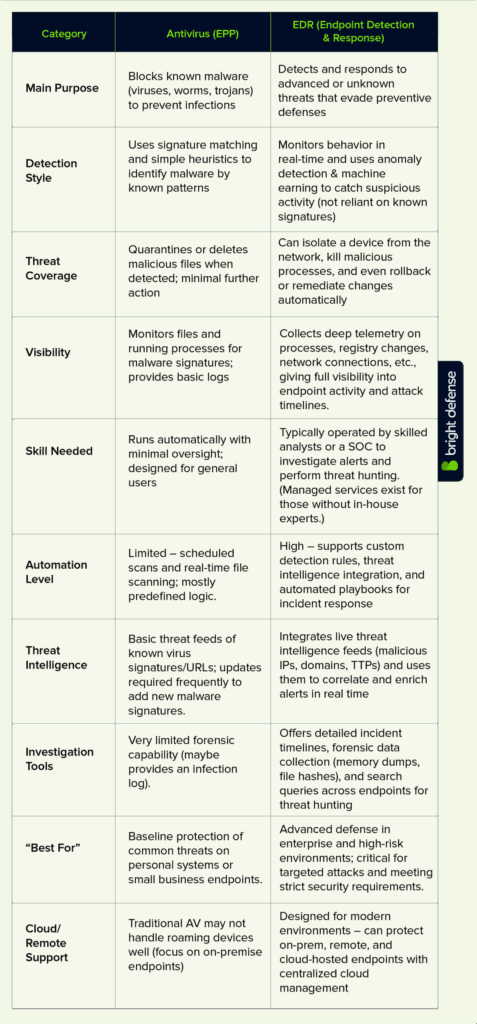
Endpoint Detection and Response (EDR) provides advanced protection for endpoints by tracking and responding to a wide range of threats, including zero-day exploits, ransomware, and stealthy intrusions.
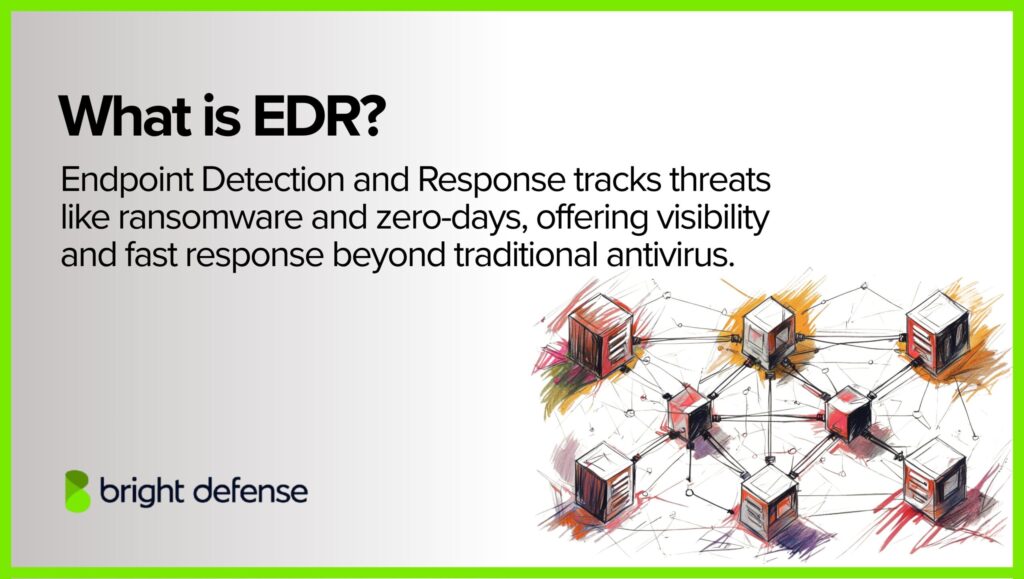
Unlike traditional antivirus tools, which primarily react to known malware, EDR systems focus on visibility, investigation, and response.
How Does EDR Work?
EDR goes beyond basic protection. It monitors, analyzes, and responds to threats in real time, offering visibility into suspicious behavior across endpoints.
Here’s how it works:
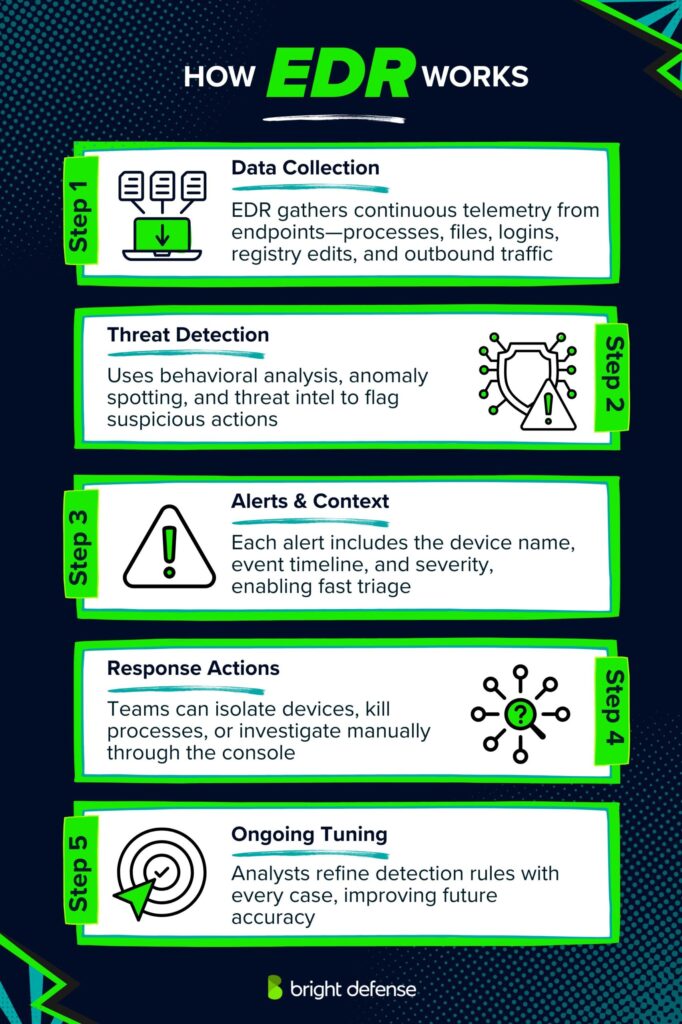
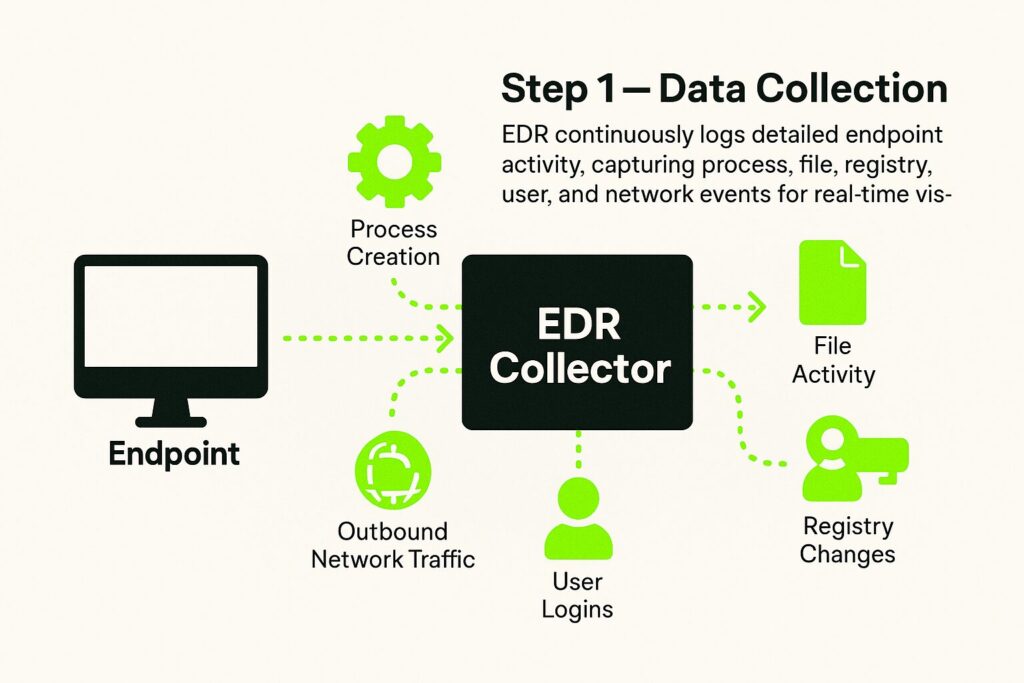
Step 1 – Data Collection
EDR solutions gather and log high-volume telemetry data from endpoints continuously. This includes process creation, file activity, registry changes, user logins, and outbound network traffic. The level of detail allows for broader visibility into what’s happening on a device at any moment.
Step 2 – Detecting Threats
In the next step, EDR tools start detecting threats. It uses behavioral monitoring, anomaly detection, and threat intelligence feeds. Here’s how they work:
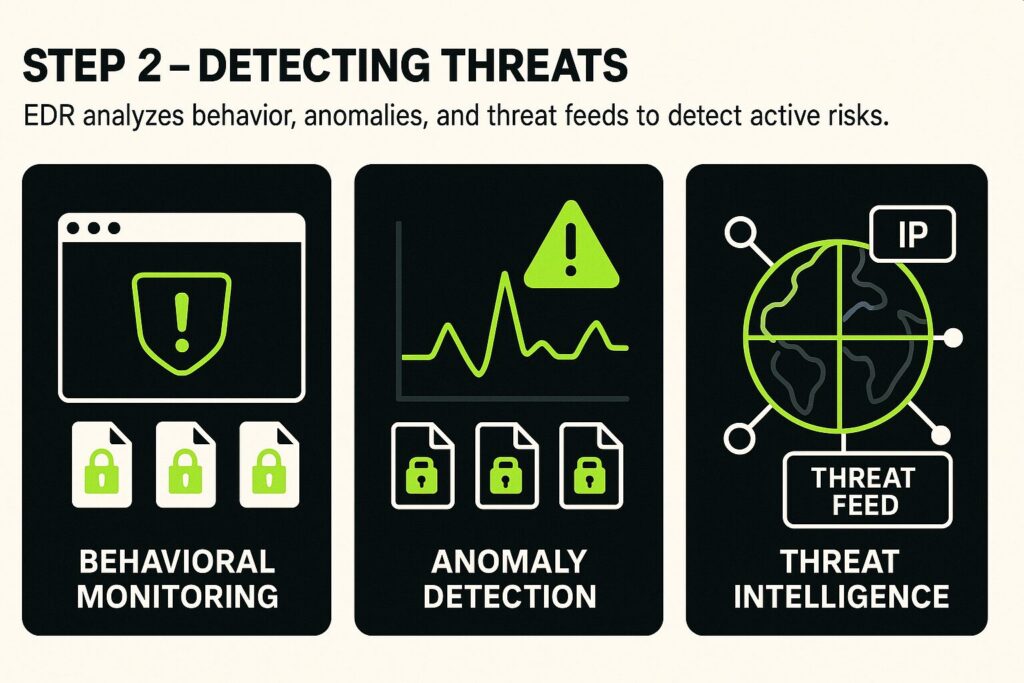
- Behavioral Monitoring: Instead of relying on known signatures, EDR tools evaluate ongoing behavior. Suspicious patterns, such as programs launching unexpectedly or files being encrypted in bulk, can trigger alerts.
- Anomaly Detection: Machine learning models and baselines help spot irregular activity that departs from the norm.
- Threat Intelligence Integration: These tools use feeds that track known malicious IPs, domains, and behaviors, helping correlate activity with known threats.
Step 3 – Alerting and Context
When a threat is detected, the platform generates an alert that includes a detailed breakdown of the incident. This includes the name of the affected machine, the exact sequence of suspicious events, and the assigned severity rating.
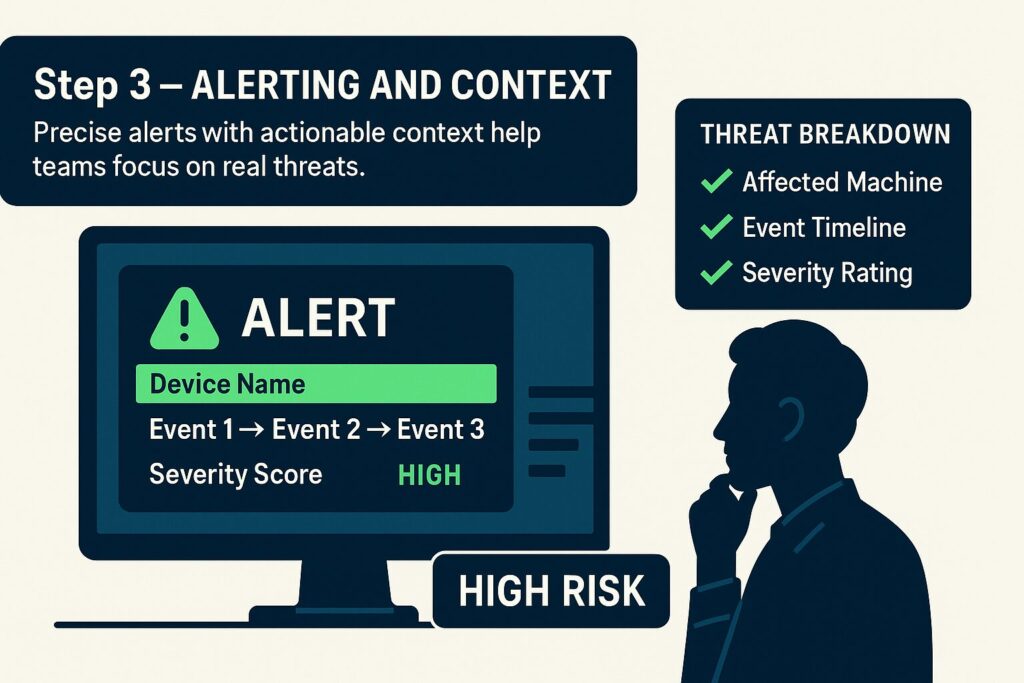
Rather than providing a vague warning, the platform gives actionable context so security teams can evaluate the level of risk and decide how to respond. This context is essential for separating critical threats from noise.
Step 4 – Response Options
The context provided in alerts allows teams to act quickly. EDR tools support both automated and manual responses. In urgent cases, the platform can isolate a machine or terminate a malicious process immediately.
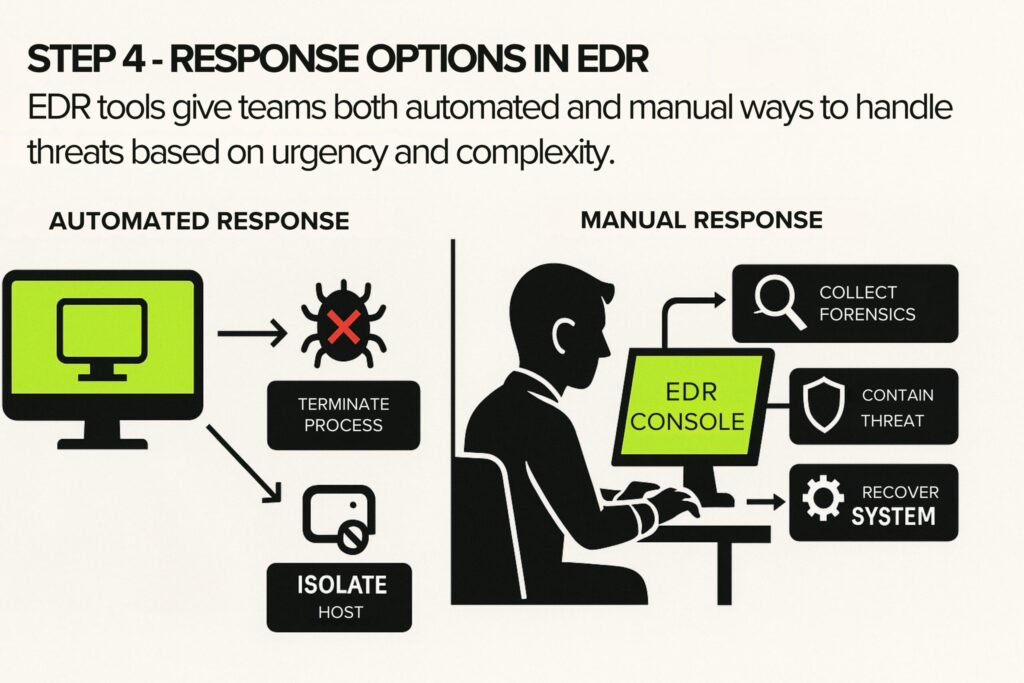
For more involved scenarios, analysts can use the EDR console to connect to the system, gather forensic data, and carry out containment or recovery steps. These options give security teams the flexibility to act based on the threat’s impact and complexity.
Step 5 – Forensics and Deep Investigation
After containment, teams can use EDR to investigate how the attack unfolded. Two types of techniques are usually used for forensics and deep investigation, time reconstruction and search capabilities:
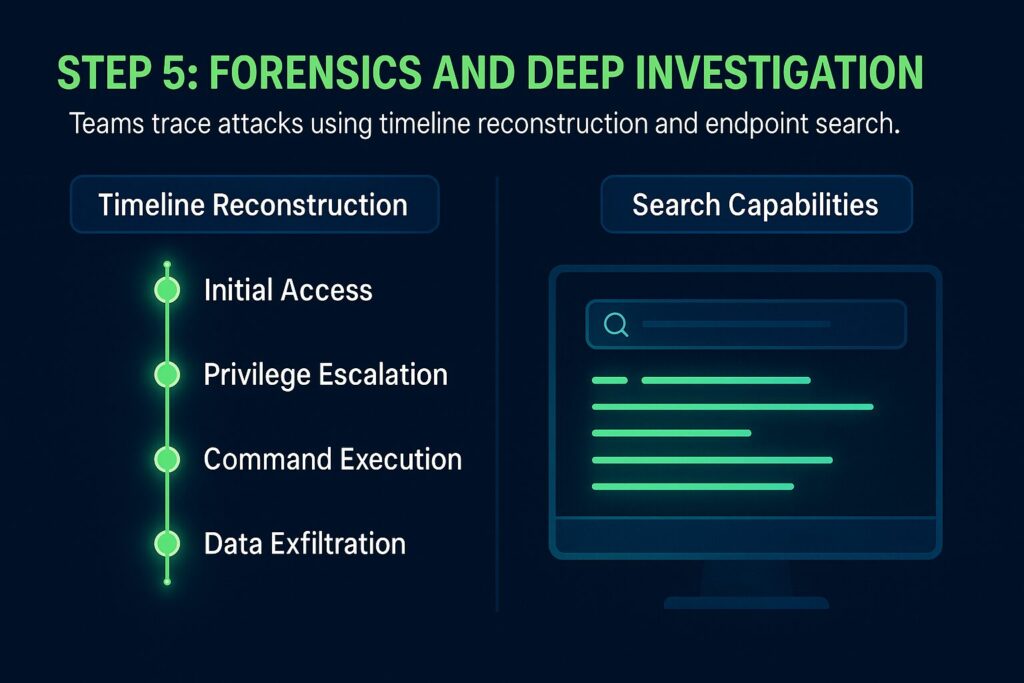
- Timeline Reconstruction: Security teams can replay the full chain of events leading to an incident, tracing back to the origin.
- Search Capabilities: Analysts can run detailed queries across the environment to find similar indicators on other endpoints.
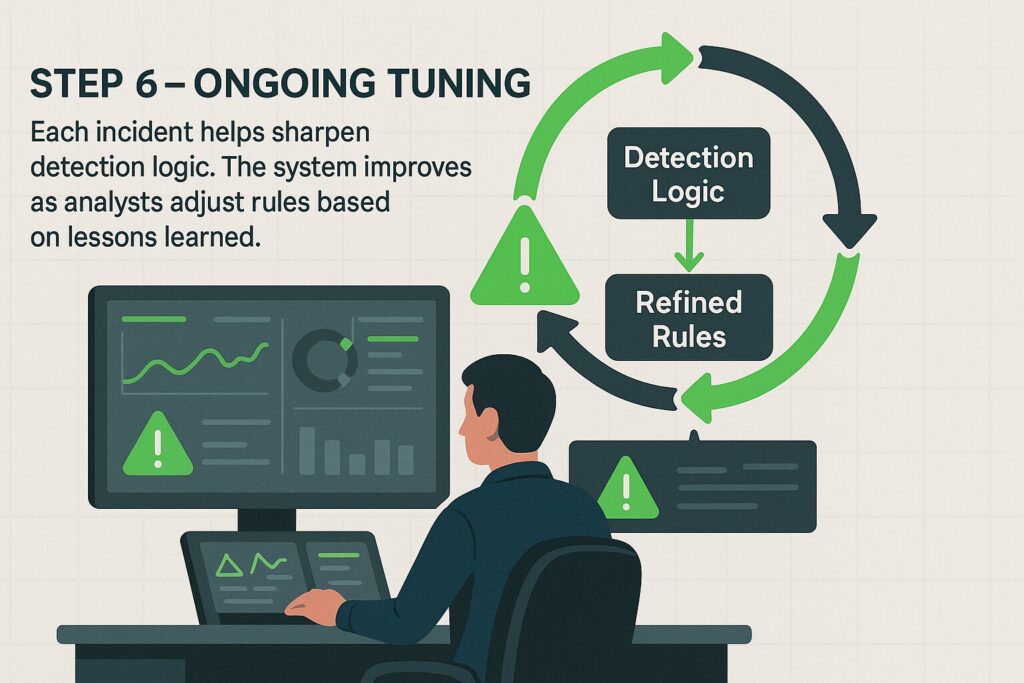
Step 6 – Ongoing Tuning
Every incident helps refine detection logic. Over time, the system adapts and becomes more accurate as analysts feed back lessons into detection rules and workflows.
EDR is best suited for businesses dealing with persistent threats or operating in industries frequently targeted by advanced attackers.
Kaspersky’s 2019 survey found that among companies using EDR, 28% detected cyberattacks within hours or less. (Kaspersky)
Proficio’s 2024 report noted that organizations utilizing AI-driven EDR solutions experienced a 63% reduction in dwell time. (Proficio)
What is Antivirus?
Antivirus software protects systems against known forms of malicious software, such as viruses, worms, and trojans.
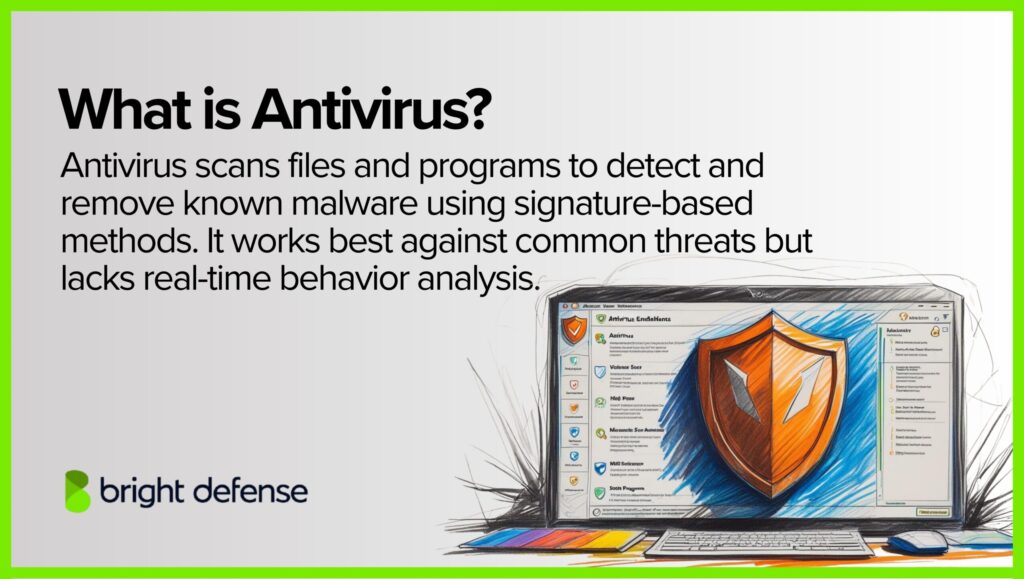
Unlike Endpoint Detection and Response (EDR), which tracks both known and unknown threats through behavioral analysis, antivirus tools mostly depend on predefined methods to find and stop malware.
How Does Antivirus Work?
Antivirus software defends against known threats using defined detection methods. It scans files, blocks harmful activity, and isolates malicious code.
Here’s how it works:
1. Signature-Based Detection
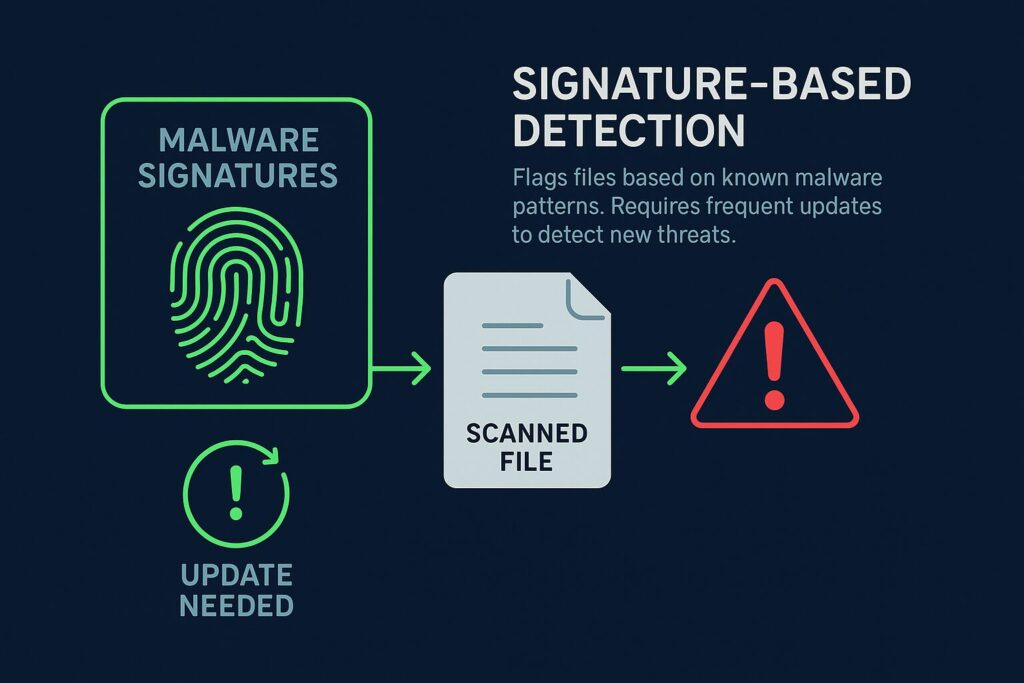
This method uses a library of known malware fingerprints. When a file’s code matches one of these predefined signatures, it gets flagged and blocked. The system needs frequent updates to keep up with new malware variants.
2. Heuristic Based Detection
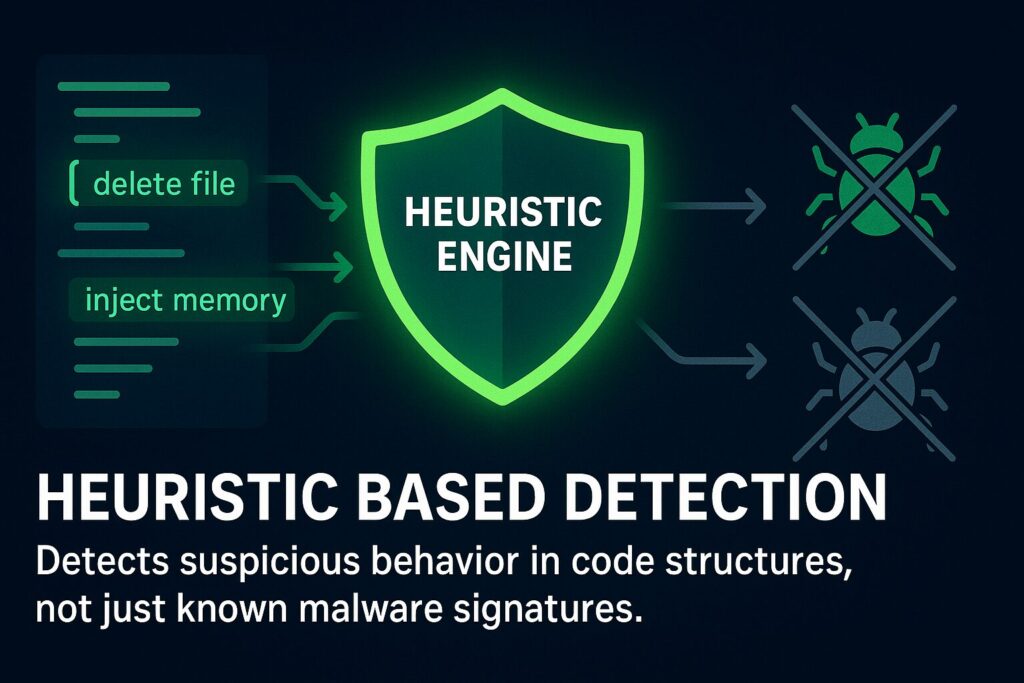
This approach looks for code structures or behaviors commonly found in malware instead of matching known patterns. It helps catch new or altered threats that have not yet been added to the signature database.
3. Behavioral Based Detection
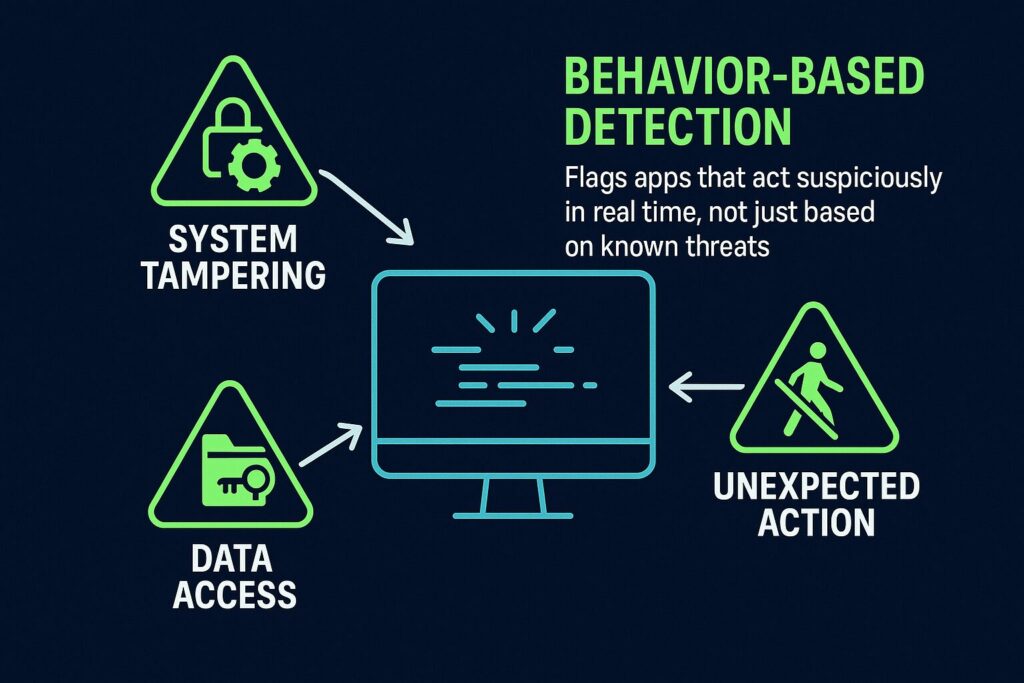
This technique monitors how software acts in real time. If an application suddenly tries to modify system files, access secure data, or act outside normal behavior, the antivirus software treats it as suspicious and responds accordingly.
4. Prevention and Blocking
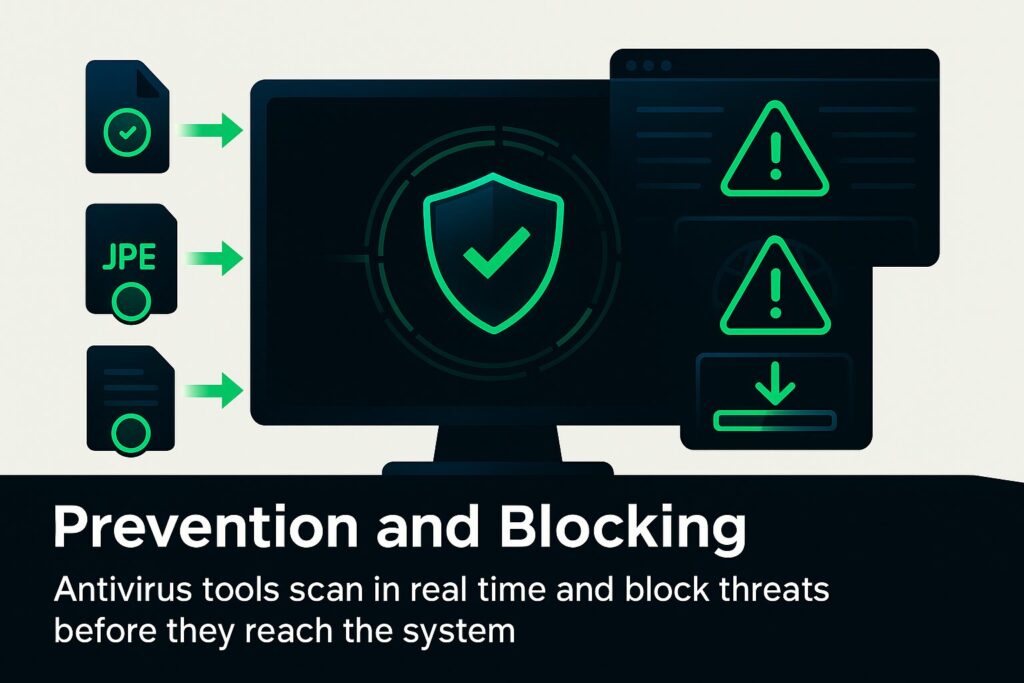
Antivirus tools operate continuously in the background, scanning files during download, access, or creation. Many of them include browser shields that block harmful sites or downloads before they reach the user’s system.
5. Quarantine and Removal
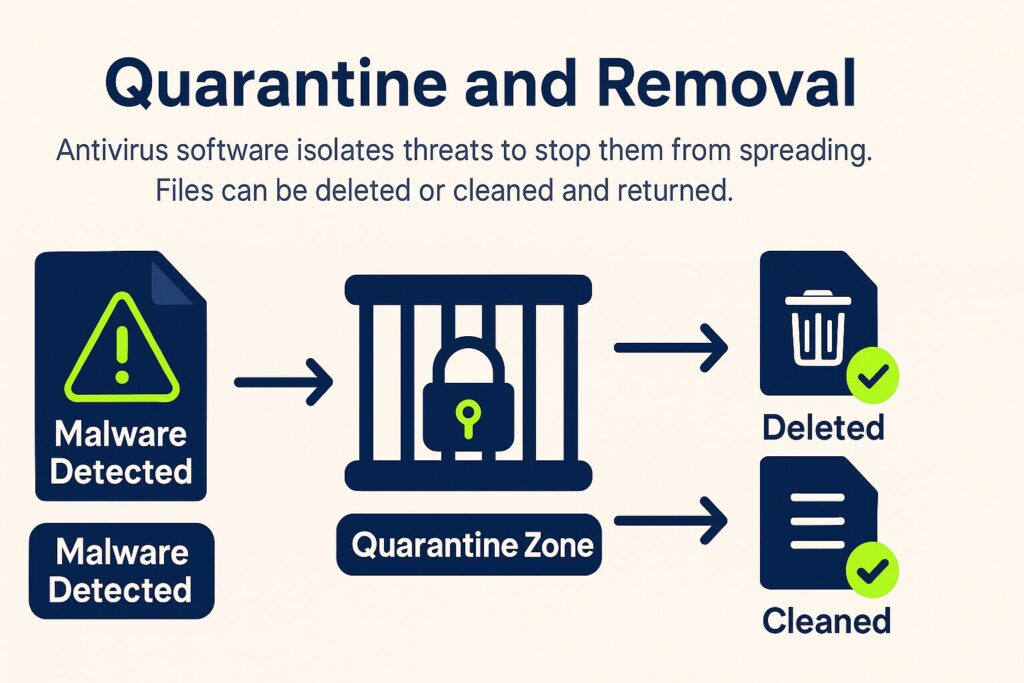
When malware is found, the antivirus software moves the file into a controlled zone to stop it from spreading or executing. Users can delete the file, and in some cases, the software might clean it and return it without the harmful code.
6. Scanning and Updates
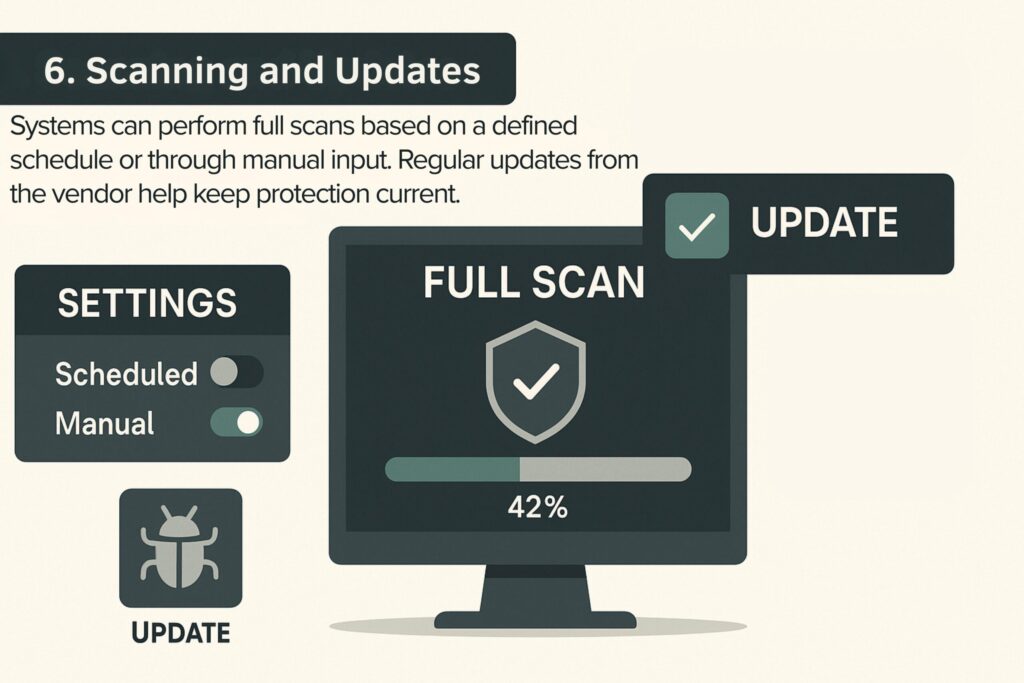
Full system scans can run on a schedule or be launched manually. Since malware evolves constantly, these tools receive regular updates to their detection engines and signature libraries. Most vendors send these updates automatically.
Antivirus software remains an essential part of security stacks, especially for stopping known threats. However, it has limits when used alone. It works best when combined with multiple control layers such as firewalls, secure configurations, and endpoint monitoring tools.
EDR vs. Antivirus: Key Differences
Both EDR and traditional antivirus aim to protect endpoints, but they do so in fundamentally different ways. Here are the key areas where they diverge:
EDR vs Antivirus – Key Differences
| Category | Antivirus | EDR (Endpoint Detection and Response) |
|---|---|---|
| Main Purpose | Blocks known malware like viruses and trojans | Detects and responds to advanced and unknown threats |
| Detection Style | Uses signature matching and basic behavior rules | Uses real-time behavior tracking and machine learning |
| Threat Coverage | Focuses on known threats only | Covers both known and unknown, including fileless and zero-day attacks |
| Response Actions | Quarantines or deletes infected files | Can isolate devices, stop malicious activity, and reverse changes |
| Visibility | Monitors files and basic system activity | Collects deep data from processes, registry, network, and user actions |
| Skill Needed | Works automatically, minimal human input | Requires trained analysts to review alerts and investigate |
| Automation Level | Limited to scheduled scans and simple rules | Can run complex response actions automatically |
| Threat Intelligence | May include basic updates | Tied into live feeds with IP, domain, and malware behavior intelligence |
| Investigation Tools | Very limited | Offers detailed timelines, queries, and forensic tools |
| Best For | Everyday protection for personal or small business use | Advanced defense in enterprise and high-risk environments |
| Cloud/Remote Support | Rarely supports cloud or remote endpoints | Built to monitor and protect both on-prem and cloud-based devices |
1. Detection Approach
Antivirus relies heavily on signature matching and known threat patterns to identify malware. It excels at flagging known viruses and trojans by recognizing their code. Some AVs add heuristics for variants, but detection is largely pattern-based. EDR, by contrast, uses behavioral analysis and anomaly detection. It looks at what programs do rather than what they are.
This means EDR can detect threats that have no known signature – for example, spotting suspicious behavior from a new file or a script. (In practice, this difference is huge: by Q4 2024 an estimated 86% of new malware was employing “evasion” techniques to bypass signature-based, so EDR’s behavior-based approach is much more likely to catch such threats.)
2. Response Capabilities
Antivirus typically has a limited response: when it finds malware, it will block or quarantine the file and maybe stop the process. But it won’t do much beyond removing that file, and it usually doesn’t provide tools for deeper investigation.
EDR is built for active response. If a threat is detected, EDR can isolate the entire host from the network, kill not just one process but related malicious processes, and even undo malicious changes in some cases.
It also gives security teams a console to conduct remote investigations, collect additional data, and perform remediation steps across endpoints. In short, EDR is like having an incident response agent on every endpoint.
3. Data Visibility
Antivirus watches certain system areas (files, running processes) for malware, but its scope is fairly narrow. It’s not recording every system event, just scanning for threats. EDR provides detailed visibility into almost all endpoint activities: it tracks process trees, network connections, registry and file changes, user login sessions, etc.
This rich telemetry means EDR can reconstruct what happened during an incident and can surface subtle signs of compromise. It’s the difference between a security camera that only triggers on known bad behavior vs. a camera that records everything for later analysis , EDR is the latter.
4. Automation and Intelligence
Antivirus automation is usually limited to scheduled scans and real-time file scanning. It will automatically block known bad stuff, but it doesn’t have much “intelligence” beyond that, and it doesn’t typically allow custom detection logic from the user.
EDR platforms, on the other hand, often allow a lot of customization – analysts can write hunting queries or custom rules (e.g. alert if any process touches a particular sensitive file, or if PowerShell runs Base64-encoded commands). EDR also integrates external threat intelligence and can automatically adapt to new intel (like ingesting a feed of malicious hashes to watch for).
In terms of automation, many EDRs support playbooks or scripts to automatically respond to certain alerts (for example, auto-isolate a machine if a high-severity alert triggers). This can drastically speed up containment and has been shown to reduce incident response times by as much as 70% when repetitive tasks are.
5. Analyst Involvement
Antivirus is designed to require minimal human intervention. It runs quietly and only notifies the user to ask what to do with a detected threat (in consumer AV, it often just resolves it automatically). You don’t need a dedicated analyst to manage antivirus on a daily basis; its decisions are mostly pre-programmed (though someone needs to review incidents in enterprise settings).
EDR, in contrast, is a tool for skilled security analysts. While it will automatically block some things, it also generates a lot of information that needs analysis. EDR deployments are often paired with a Security Operations Center (SOC) team or an outsourced Managed Detection and Response service.
The EDR will catch the weird behavior, but human experts are usually needed to confirm if it’s malicious or not (to avoid false positives) and to drive the investigation/remediation process. This is why EDR is often found in medium to large enterprises that have (or use) security analysts. It’s powerful, but requires care and feeding.
6. Threat Scope
Antivirus works well against common threats like generic ransomware, viruses, and worms. It blocks known malicious websites, infected USB drives, and other basic infection methods. But it struggles with fileless attacks and new, targeted malware.
EDR is built to detect those advanced threats. It catches fileless malware, zero-day exploits, insider threats, and attackers using legitimate tools like PowerShell to run scripts in memory. These attacks leave no traditional malware file to detect.
As fileless attacks increased, EDR became essential. By late 2024, fileless methods made up about 70% of serious malware. Antivirus alone often misses these, while EDR can spot unusual behavior with legitimate tools.
Antivirus still serves as a low-overhead defense for known threats. But it leaves gaps. EDR fills those gaps and helps teams detect and respond before threats cause major damage. Most mid-size and large companies now use both. Gartner’s 2025 endpoint guidance confirms this layered approach. One industry report shows EDR adoption nearly doubled from 2020 to 2025. Companies with EDR detect and contain breaches much faster, often cutting damage and dwell time in half compared to those using only antivirus.
Can Antivirus and EDR Work Together?
Yes. Antivirus and EDR serve different purposes and function well together. Antivirus blocks known threats before they run. EDR detects suspicious behavior that runs anyway.
Many setups include both. This often means using an Endpoint Protection Platform (EPP) with antivirus and machine learning, plus a separate or integrated EDR module. Antivirus and EDR usually operate without conflict.
This layered approach improves threat coverage. Antivirus focuses on prevention. EDR supports detection and response. Organizations that add EDR often do so to address threats missed by antivirus alone.
What Is MITRE ATT&CK and How It Supports EDR?
MITRE ATT&CK is a threat model that catalogs real-world tactics and techniques used during attacks. It organizes them into a matrix that outlines how intrusions unfold, including steps like persistence or lateral movement.
EDR tools tag suspicious activity using MITRE technique IDs. For example, credential dumping may be labeled as “T1003,” which helps analysts understand the attacker’s intent.
Mapping to MITRE also reveals coverage gaps. If no detections are tied to areas like “Privilege Escalation,” that signals missing visibility. Many EDR platforms display which techniques are covered to support better defense planning.
Security teams use the framework during threat hunts and investigations. It helps them look for specific behaviors and trace attacker movement during incidents.
MITRE ATT&CK does not block attacks. It gives structure to threat analysis and supports faster, clearer responses through EDR.
Frequently Asked Questions .
Antivirus software is a security program designed to prevent, detect, search, and remove viruses and other types of malware from computers, networks, and devices.
EDR, short for endpoint detection and response, is a cybersecurity technology that continuously monitors endpoint devices for evidence of threats and can take automated actions to reduce harm.
EDR focuses on detecting and responding to threats that get past traditional endpoint tools, with telemetry and investigation context that supports active attack handling rather than only malware cleanup.
The practical difference is that antivirus is centered on malware prevention and removal, while EDR is centered on continuous endpoint monitoring plus investigation and response actions during suspicious activity.
No, not in most environments. Many endpoint security stacks use both because antivirus provides baseline malware protection, while EDR adds investigation and response capabilities, and platform documentation commonly describes them as working together.
A small business should prioritize EDR when it needs faster detection and containment for real incidents, when it has remote endpoints that are hard to supervise, or when customers require stronger endpoint controls than basic malware scanning.
Yes, act quickly and follow a standard incident response flow that includes triage, containment, eradication, and recovery, and use available endpoint response actions such as isolating the device from the network while keeping security service connectivity for continued monitoring.
You should confirm whether the file was disinfected or quarantined, run a full endpoint scan, check whether other hosts show similar indicators, and document actions taken because NIST recommends configuring antivirus to attempt disinfection and then quarantine or delete when disinfection is not possible, and it treats antivirus as one detection source during malware incident handling.
Antivirus still matters in many environments because it blocks high-volume, known malware while EDR centers on deeper endpoint visibility, investigation, and response, so many teams run both as layered endpoint protection.
Microsoft Defender Antivirus is the built-in antivirus in Windows, while Microsoft Defender for Endpoint is the enterprise endpoint platform that includes EDR capabilities.
Next generation antivirus focuses on preventing malware with behavior-based detection and machine learning, while EDR focuses on collecting endpoint telemetry, detecting suspicious activity, supporting investigation, and executing response actions when prevention fails.
Microsoft Defender for Endpoint is an EDR product, and other well-known EDR examples include CrowdStrike Falcon and SentinelOne.

Get In Touch